Create Reordering Rule (Manual)
2 Methods to Create a new or Update an existing Reordering Rule.
- Manual Method
- Auto Process
1. Manual Process for Reordering rule
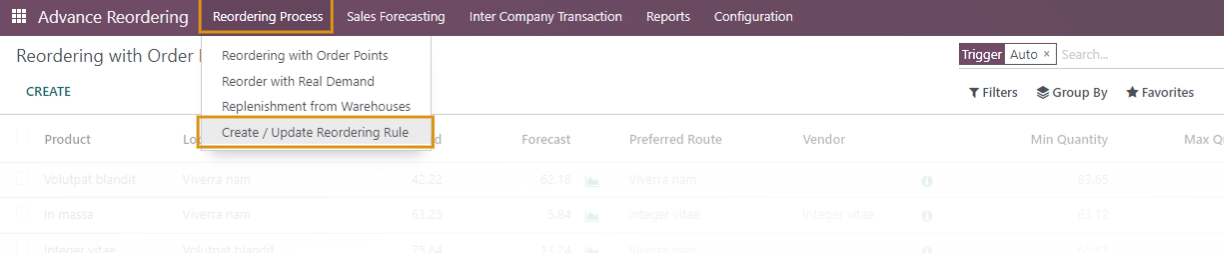
To Create/Update the Reordering Rule manually navigate to
Fill in all the details in the wizard that opens as shown below.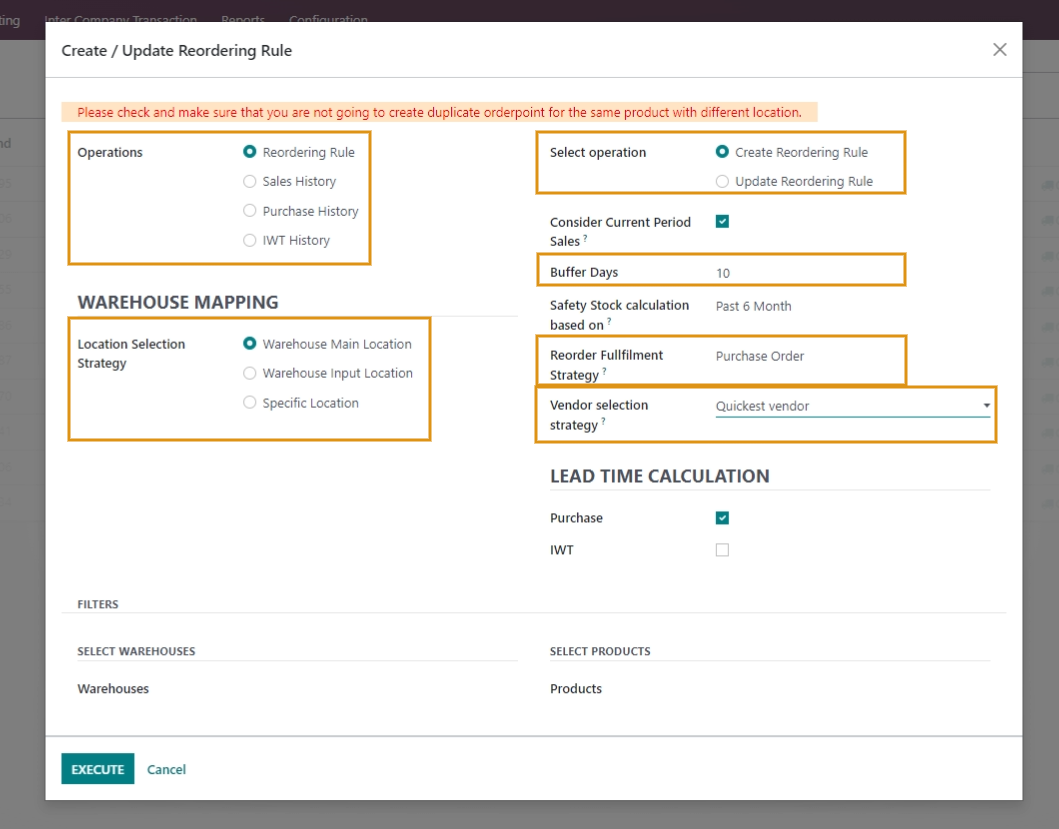
Terminologies:
-
Select Operation: This operation will be enabled only when the Reordering Rule option is selected in the Operation functionality.
Here select:
Create Reordering Rule - If you wish to create New Reordering Rule. Update Reordering Rule - If you wish to update the existing Reordering Rule.
Buffer Days: These indicate extra days for which an additional inventory is kept on hand in case of emergencies, transportation delays, or surges in demand. - Reorder Fulfillment Strategy: It facilitates you with multiple functionalities to either Replenish stock from the warehouse of the same/different Company or place a Purchase Order or use Odoo default strategy while reordering the Products.
- Vendor Selection Strategy: This function will only be available if the 'Purchase Order' option is chosen in the 'Reorder Fulfillment Strategy.' It allows you to select a vendor of your preference, whether it be the quickest, cheapest, or specific vendor.
- Location selection Strategy: This function enables you to determine where the products should be placed upon receipt. You can choose to store them at the main location of the warehouse, an input location within the warehouse, or a specific location.
- Lead Time Calculation: To ensure accurate ordering, lead time should be taken into account. This functionality, available when creating or updating a reordering rule, allows you to choose whether to consider lead time for purchase orders or inter-warehouse transfers.
Select Reordering Rule in Operations functionality.
In Select Operations functionality select 'Create Reordering Rule' option to create Reordering rule for the first time.
Select 'Update Reordering Rule' option in Select Operation functionality to update the existing reordering rule.
Click on Execute once all details are filled in.
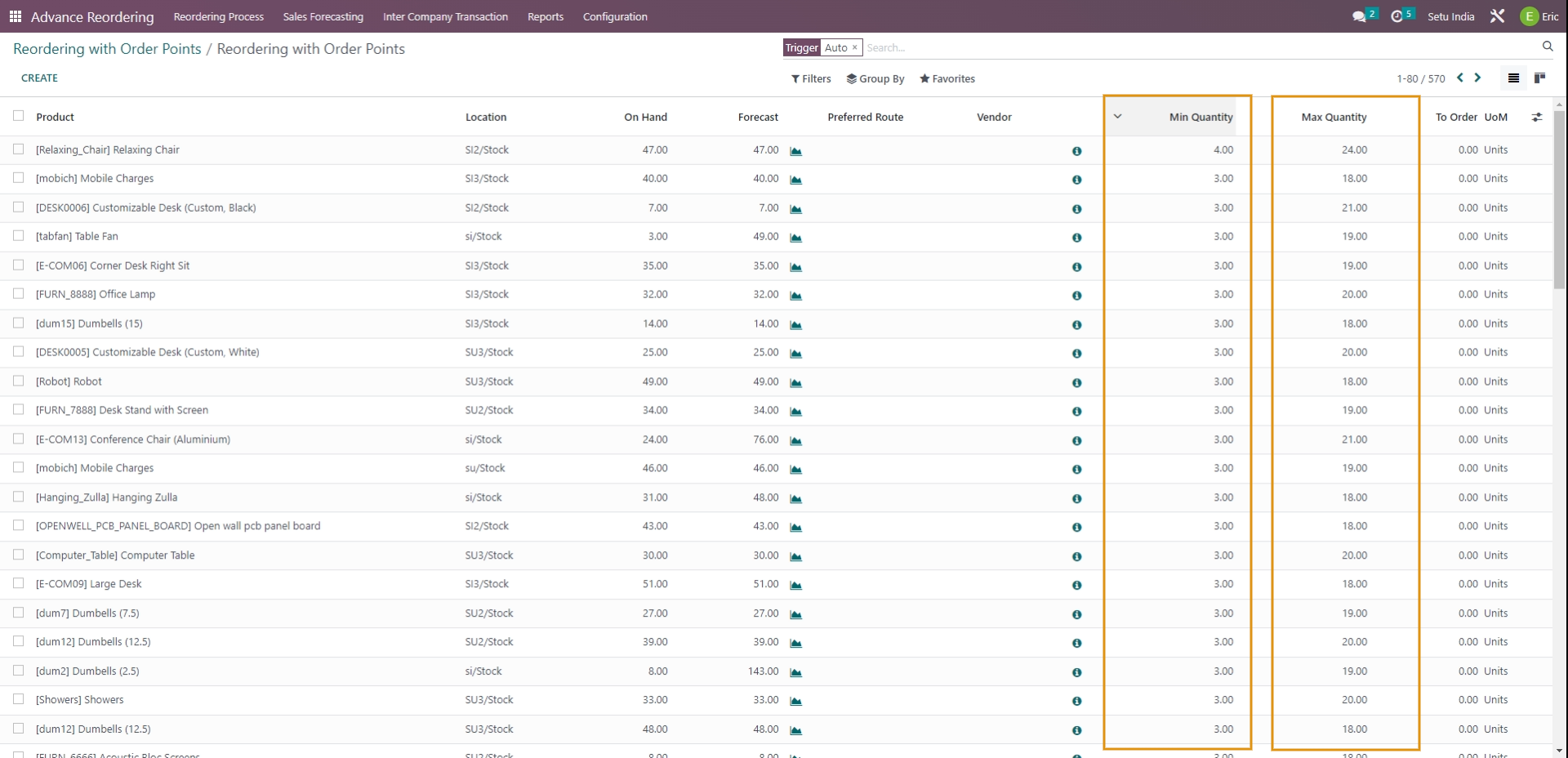
Record of all products & Warehouses for which the Reordering rule was calculated or Updated appears as shown below.
Rating
Commenting is not enabled on this course.