The initial step is to either Create a new or Update an existing Reordering Rule.
Past Sales data and Purchase Data should be analyzed and considered to enhance the Minimum and Maximum Quantity capabilities of Odoo and enable users to determine the precise amount to purchase or restock between warehouses, prevent overstocking, and ensure the proper minimum quantity is maintained to avoid stockouts.
Operational Guide
Operational Guide
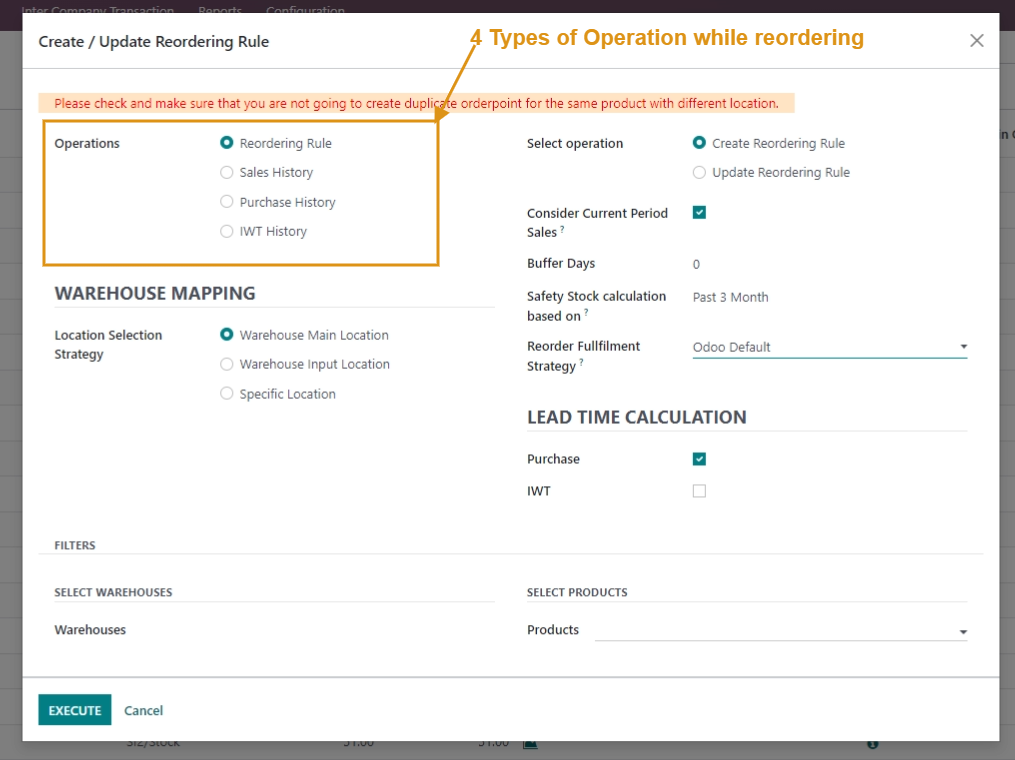
4 Type of Operation
Operations: It allows you to select the type of operation that you wish to perform.
-
Reordering Rule: This operation allows you to either Create a new reordering rule or update the existing rule already created.
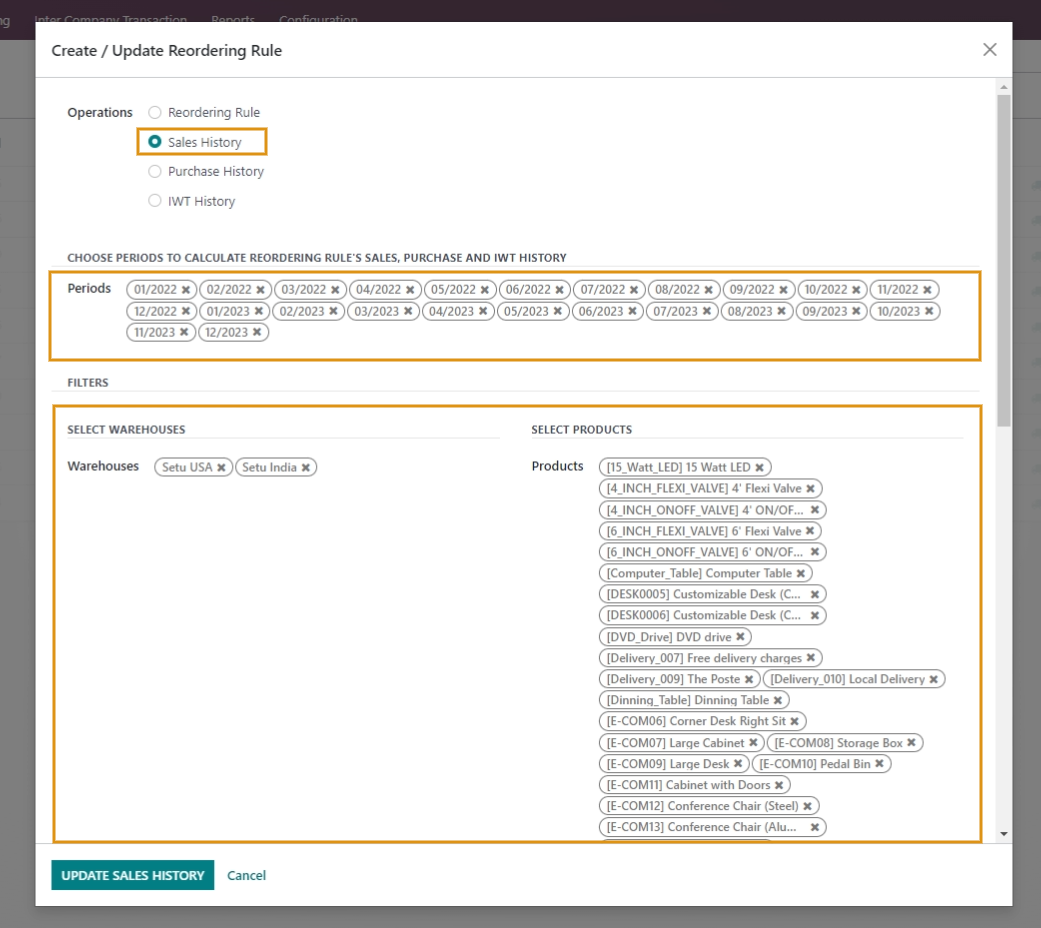
- Sales History: This operation facilitates you to update Sales data of the selected period, Warehouse & Products.
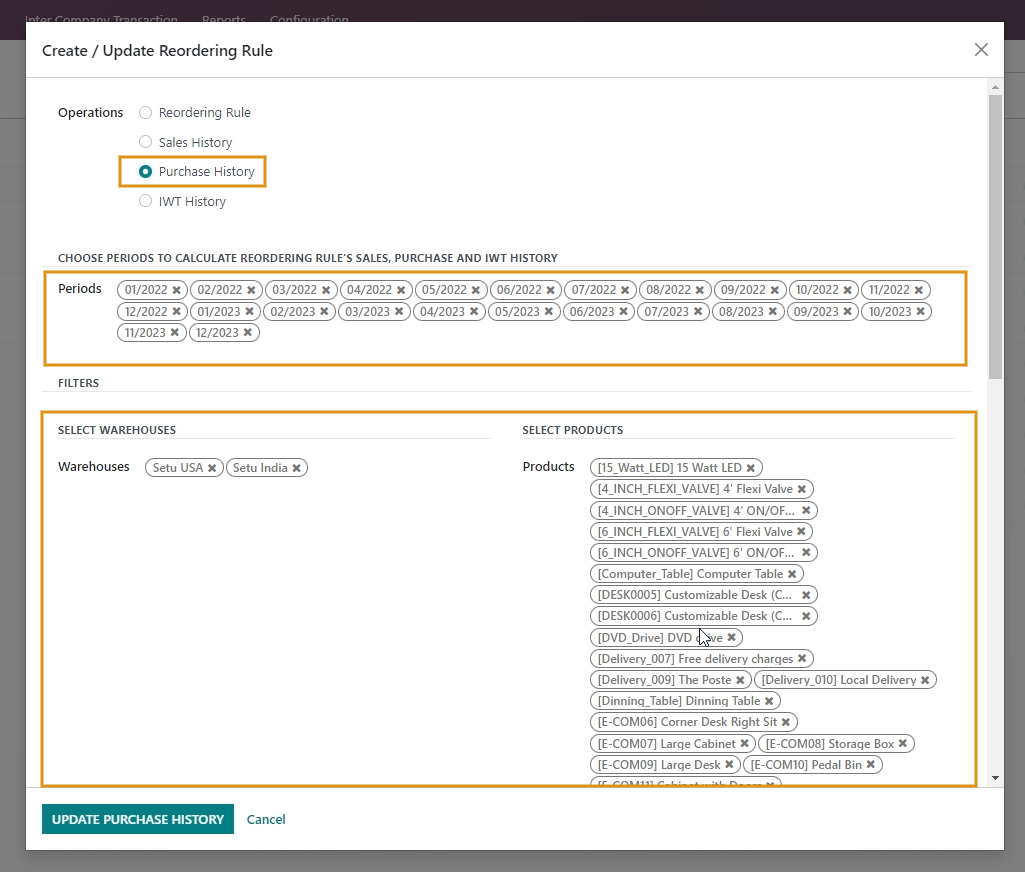
- Purchase History: This operation facilitates you to update the Purchase data of the selected period, Warehouse & Products.
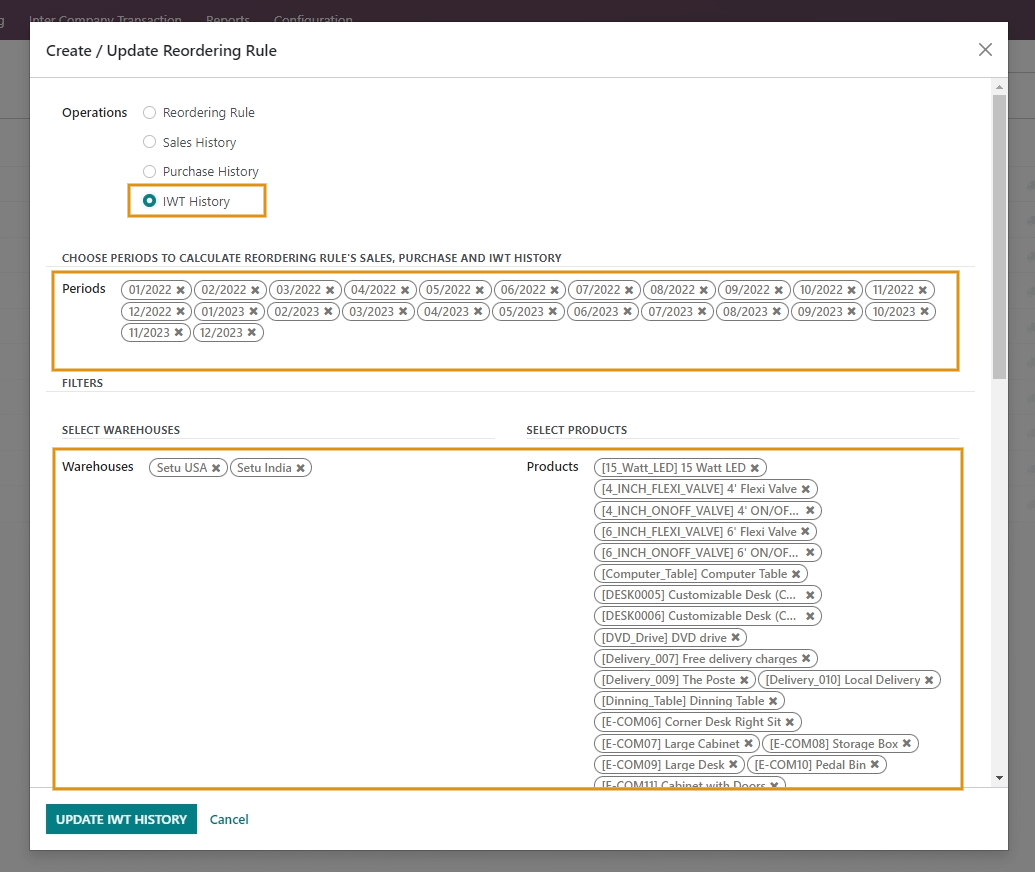
- IWT History: This operation facilitates you to update the InterWarehouse Transfer data of the selected period, Warehouse & Products.
4 Type of Methods for Reorder Fulfillment Strategy
When reordering your inventory, using the Reorder with Order Point in Advance Reordering feature with Order Point allows you to choose from 4 different methods, rather than just placing a purchase order each time.
- Intercompany Transfer: If you choose this strategy while using Order Point to reorder, it allows for the replenishment of stock with the maximum quantity from the designated warehouse of different companies.
- InterWarehous Transfer: if you choose this strategy while using Order Point to reorder, it allows for the replenishment of stock with the maximum quantity from the designated warehouse of the same companies.
- Purchase Order: If you choose this strategy while using Order Point to reorder, it allows for placing the Purchase Order of the stock with the maximum quantity.
- Odoo Default: If you choose this strategy when using Order Point for reordering, it will follow the default Odoo strategy of replenishing stock with the maximum quantity.
Rating
Commenting is not enabled on this course.