To calculate the real demand for all the products while placing a Purchase navigate to
Operational Guide
Operational Guide
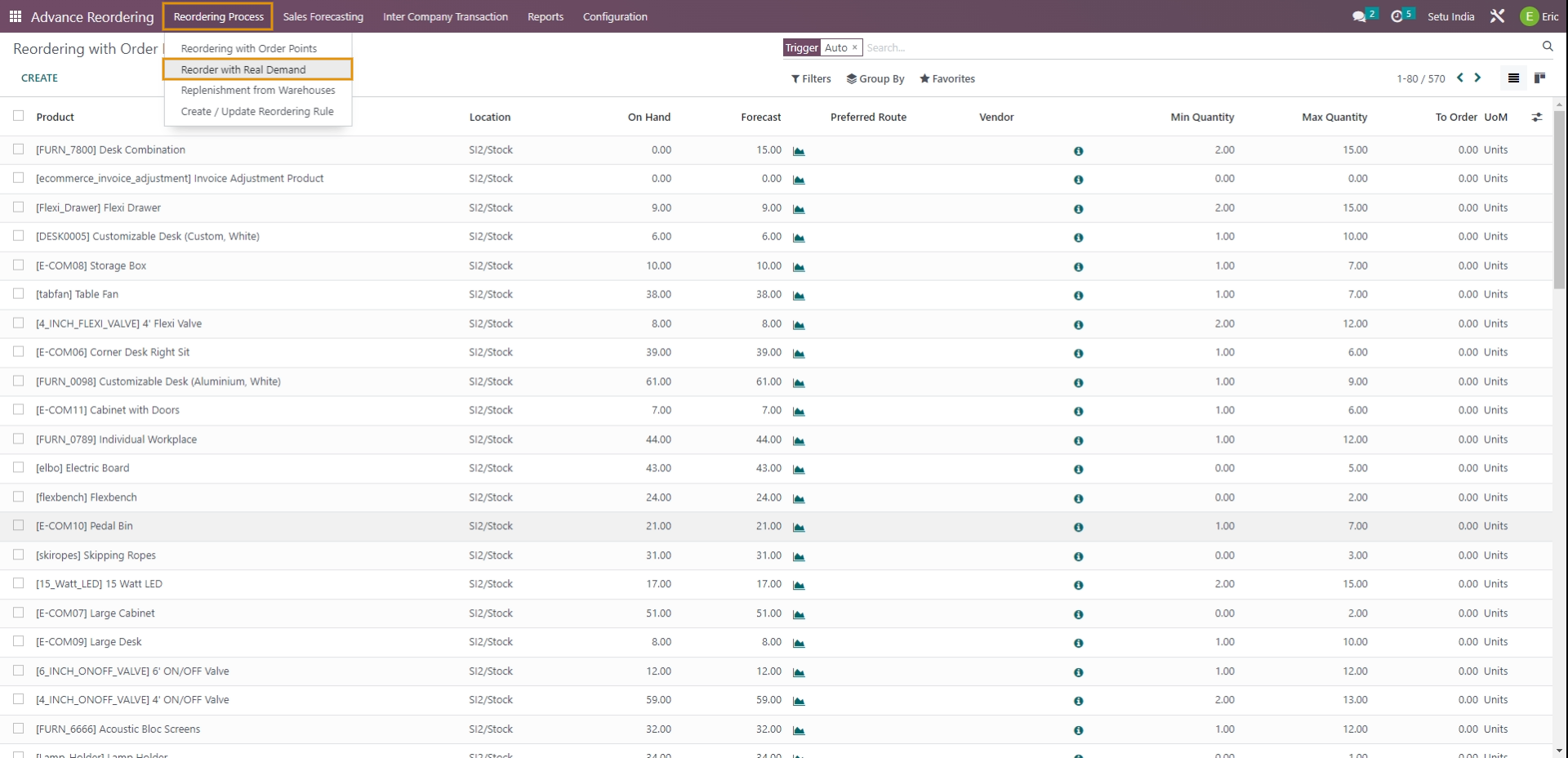
Fill in the details in the wizard that opens as shown below.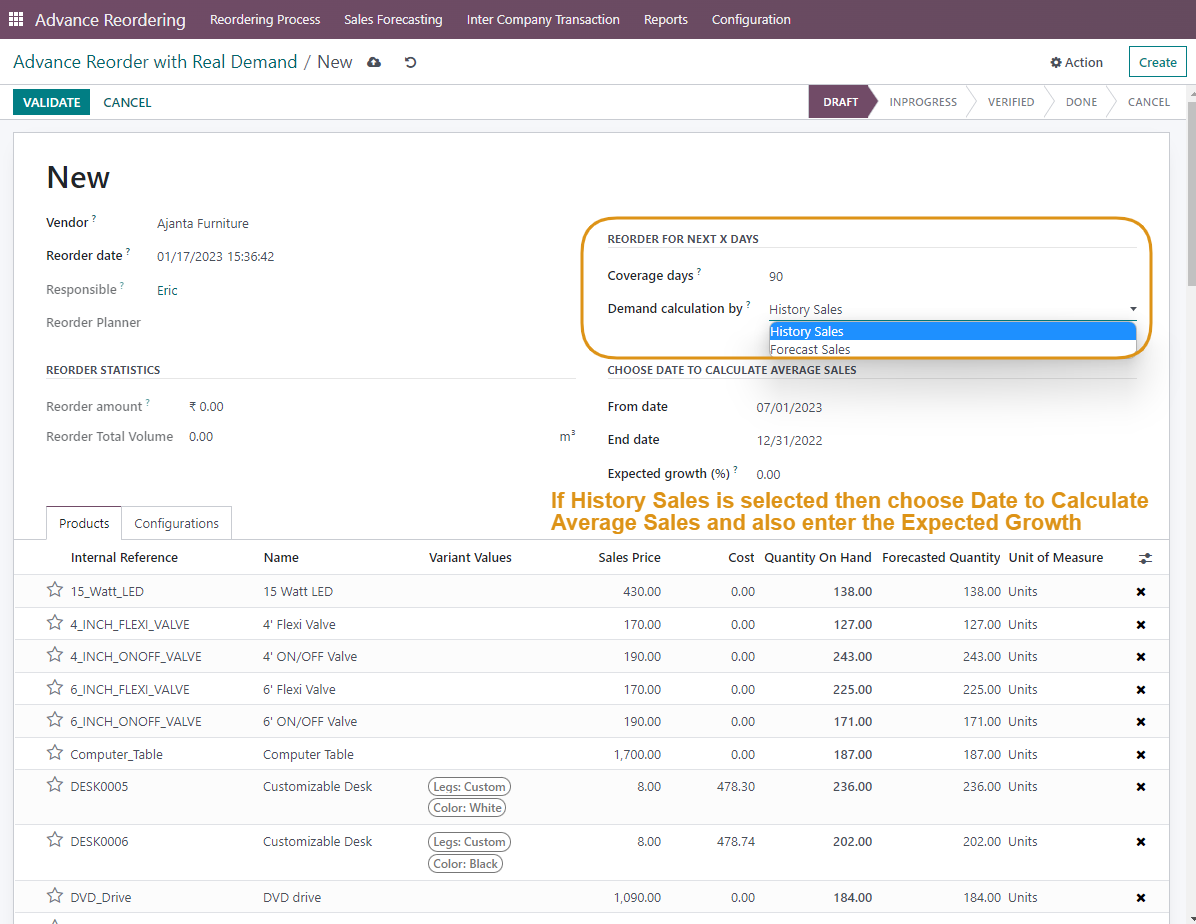
2 Type of Methodologies to calculate Real Demand
- History Sales: This methodology considers past Sales data to calculate Average Daily Sales and thus know the Real Demand of the products before placing Purchase Order.
- Forecast Sales: This methodology considers past Forecast data to calculate the Real Demand of the products before placing Purchase Order.
- To Calculate Demand Based on History Sales.
- Select the Vendor from whom you wish to purchase products, Coverage Days for which you want to stock the products
- Select History Sales in Demand calculation by option.
- Choose dates to calculate Average Sales.
- Select the List of Products for which you wish to calculate demand in the Products menu.
- Select all the Warehouse groups and Default Warehouses in the Configuration menu.
- Click on Save and Validate.
- A new menu namely the Demand Calculation and a Summary menu will be generated.
- To be Ordered bar in Demand Calculation shows the accurate quantity of Products that should be placed for Purchase Order.
- To Calculate Demand Based on Forecast sales
- Select the Vendor from whom you wish to purchase products, Coverage Days for which you want to stock the products.
- Select Forecast sales in Demand calculation by option.
- Select the List of Products for which you wish to calculate demand in the Products menu.
- Select all the Warehouse groups and Default Warehouses in the Configuration menu.
- Click on Save and Validate.
- A new menu namely the Demand Calculation and Missing Forecast sale menu will be generated.
- To be Ordered bar in Demand Calculation shows the accurate quantity of Products that should be placed for either Purchase Order or Replenishment among Warehouses.
- Missing Forecast Sales Menu beside Demand Calculation shows a list of Products, Warehouses, and Fiscal Periods whose forecast quantity is not calculated yet.
- Hence you can either create a Forecast sale by clicking on Create Forecast sale or Import data using the Import Forecast Sale option directly from here.

Rating
Commenting is not enabled on this course.